
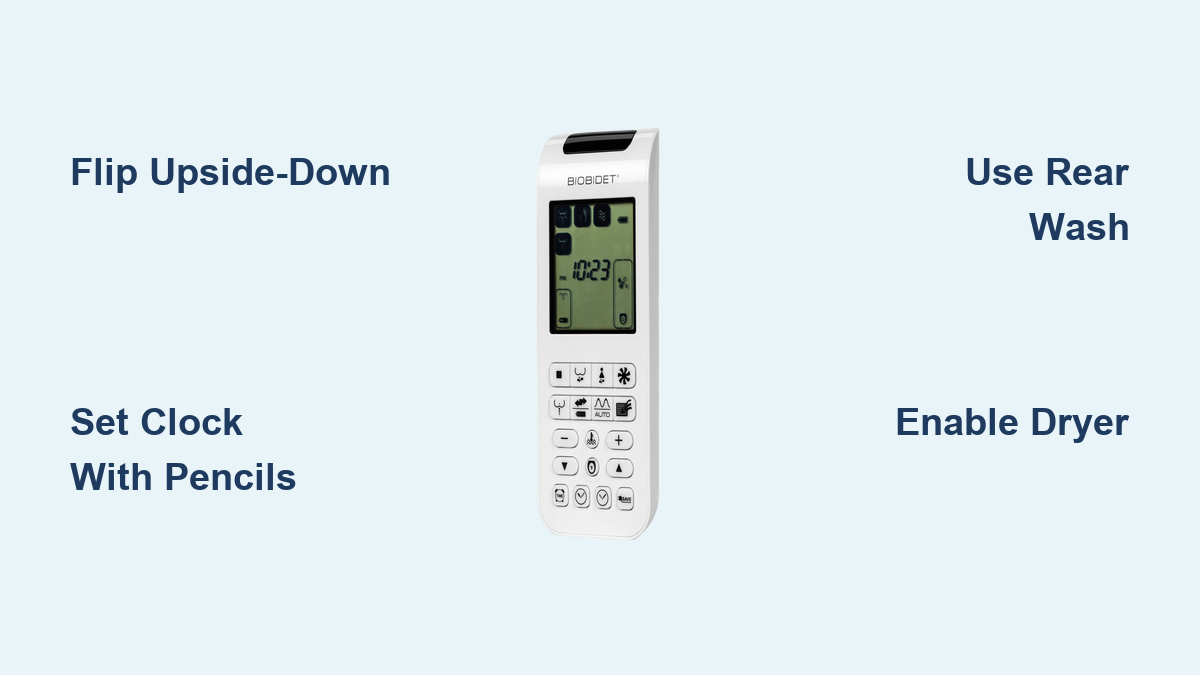
You’ve installed your Bio Bidet seat, but the remote feels like a puzzle. Buttons with mysterious icons, no backlight for nighttime use, and a signal that seems to work only when you point it just right. You’re not alone. Thousands of Bio Bidet owners struggle with the same issues: confusing symbols, unreliable responses, and setup steps that the manual gets wrong. This guide covers every button, function, and fix so you can take full control of your bidet experience.
This article walks you through each remote function, shows you how to set the clock correctly, and reveals the best DIY fixes for signal problems. Whether you own a BB-1000, BB-2000, or another model, you’ll learn exactly how to use every feature with confidence.
Power On and Activate Your Bio Bidet Remote
Press the Power button once to wake up your Bio Bidet remote. The button displays a circle with a line symbol. Upon activation, the screen illuminates on BB-2000 and newer models. The remote draws power from an internal battery that typically lasts six to twelve months under normal use.
If the screen doesn’t light up, check three things. First, ensure you’re within range of the bidet with line-of-sight visibility. Second, verify the IR receiver on the right side of the seat isn’t blocked by objects. Third, replace the battery if the remote remains unresponsive after cleaning the IR window.
No standby light indicates the system is ready. Simply press Power, and the bidet responds immediately if the seat is plugged in and powered.
Start Rear Wash for Posterior Cleaning
The Rear Wash function activates standard posterior cleaning after bowel movements. Press the W-shaped icon to start a fan-style spray. This mode works for all users and serves as the most frequently used function.
While spraying, you can adjust several settings. Use the plus and minus buttons to control water pressure. Press the up and down arrows to move the nozzle position forward or backward. Press the Oscillation button during the wash to sweep the spray across the area for better coverage.
Wait two to three seconds after pressing the button. Water takes time to heat and flow through the system. Spamming the button won’t speed up the process.
Use Front Wash for Feminine Hygiene
The Front Wash button displays a figure in a skirt icon. This function delivers a softer, forward-targeted spray designed for female hygiene. Use it after urination or during menstruation for enhanced cleanliness.
Customize the front wash experience by adjusting pressure and nozzle position. Use the Oscillation function during the cycle for broader coverage. Avoid excessive pressure since this mode targets sensitive areas.
Warning: Do not confuse Front Wash with Rear Wash. Using high pressure on sensitive areas can cause discomfort. Start with low pressure and adjust gradually.
Enable Enema Wash for Deep Cleaning (BB-2000 Only)
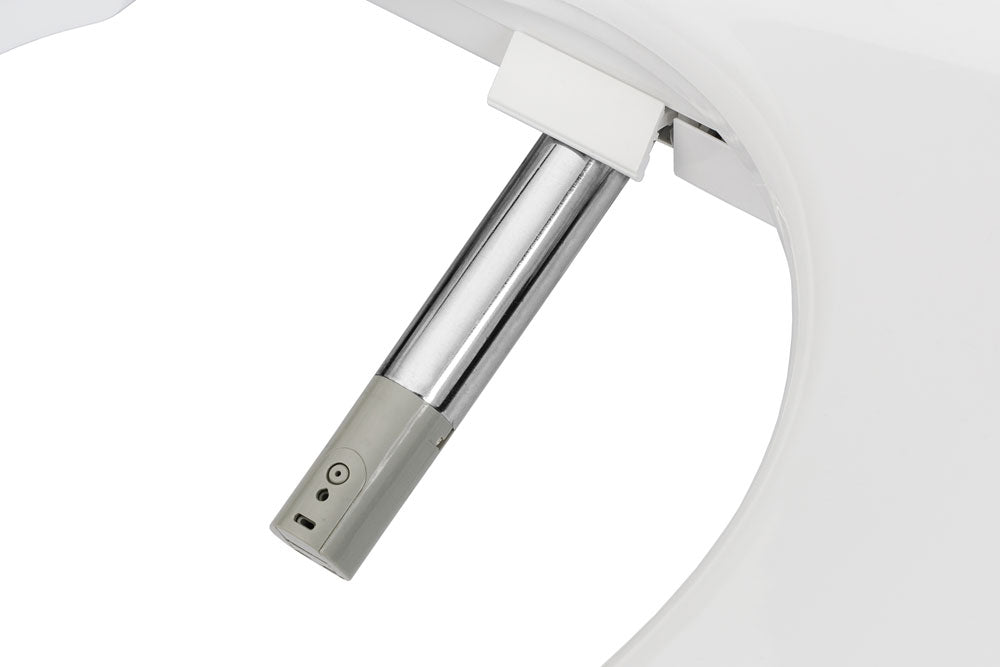
The Enema Wash function delivers a focused, spinning stream that mimics internal cleansing. This mode is more intense than standard cleaning and designed for deeper hygiene. Access it on BB-2000 models by pressing Rear Wash, then pressing Massage or the dedicated Enema button depending on your firmware version.
Adjust pressure to your desired intensity. The spinning motion enhances the cleaning effect. This feature isn’t labeled on BB-1000 models and may be missing or limited on older versions.
Dry After Washing with Warm Air
Press the Dryer button after washing to activate warm air. The cycle runs for a preset duration, typically two to three minutes. The icon displays a fan shape.
Most users need to run the dryer twice for full dryness. Stay seated during drying for the best results. Heat level is fixed or auto-regulated based on room temperature with no manual adjustment available.
Use the Auto Cycle function if available to run wash and dry automatically. Be prepared to restart the dryer manually since the drying phase often ends too soon.
Adjust Nozzle Position and Oscillation
Press the up arrow to extend the nozzle further forward. Press the down arrow to retract it backward. This controls how far the spray reaches during cleaning.
Critical note: Despite some manuals showing left and right arrows, the function provides front-to-back adjustment only. Use the up and down buttons as labeled on your remote.
Press the Oscillation button during the wash cycle to activate back-and-forth nozzle sweeping. This increases coverage and improves cleaning results when combined with moderate pressure. The icon displays arrows over a battery-shaped symbol.
Control Water and Seat Temperature
Press the squiggly line with thermometer icon to adjust water heat. Each press cycles through four settings. Low displays one bar, Medium shows two bars, High displays three bars, and Off shows no bars.
Wait five to ten seconds for water to heat. Cold incoming water takes longer to warm. Don’t spam the button expecting instant changes.
Press the seat heater button to adjust warmth. The icon looks like a thumb with an F, representing a toilet seat viewed from above. Cycle through Low, Medium, High, and Off settings. Heating is gradual and safe. In Eco Mode, seat warmth may be reduced.
Set Clock and Use Advanced Features
Press the Clock button to enter time-setting mode. Use the left pencil icon to adjust hours and the right pencil icon to adjust minutes. Press Clock again to save your settings.
Critical fix: The official manual is wrong about hour and minute buttons. Use the pencil icons instead. Time format is 12-hour, not 24-hour.
Enable Deodorizer by pressing the screen with radiating lines icon. This turns on an internal fan that pulls odors from the bowl through a filter. The function activates automatically when you sit and works quietly in the background.
Press the plug icon with Save to toggle Eco Mode. This reduces power by lowering water heater output, reducing seat temperature, and minimizing idle energy draw. On BB-1000, this function is called Economy Mode.
Fix Remote Signal Problems
Most Bio Bidet remotes use infrared technology requiring line-of-sight between the remote’s top edge and the receiver on the right side of the seat. Here’s the core problem: when wall-mounted normally, the IR transmitter faces the ceiling, not the bidet.
This design flaw causes delayed response, requiring three to five button presses for commands to register. Some users report complete failure in certain installations. The remote works fine when unplugged but fails after installation, suggesting interference issues.
User reports confirm widespread problems. One owner states they must take the remote off the wall and point it directly. Another reports holding it backwards works better. A third user describes needing four to five presses per command.
Flip Remote Upside-Down
The best free fix involves reorienting the remote. Design a reversed label on your computer, print it on vinyl, and apply it to the remote. Mount the remote upside-down so the IR transmitter faces downward toward the bidet instead of toward the ceiling.
Users report immediate, reliable response with one press after this modification. Total cost runs approximately four dollars plus design time with no disassembly required.
Relocate IR LED or Boost Signal
Open the remote and desolder the IR transmitter from the top edge. Relocate it to the bottom-right corner and reassemble. This thirty-minute project provides a permanent fix with perfect signal alignment.
Alternatively, wrap aluminum foil around the IR bulb like a reflector. This focuses and amplifies the signal, improving range and reliability. This method draws from YouTube tutorials and has been widely replicated by users.
For a non-invasive solution, purchase a twenty-dollar IR repeater system from Amazon. Place the receiver near the remote and the transmitter near the bidet’s IR sensor. The system rebroadcasts signals with higher power.
Troubleshoot Common Issues
Remote not responding stems from three common causes. The IR transmitter faces the ceiling. The battery is dead. The receiver is blocked. Fix these by flipping the remote upside-down, replacing the battery, or cleaning the IR window on the bidet.
The dryer doesn’t dry fully because the default cycle is short. Run the dryer twice for complete moisture removal. No setting extends the duration.
Can’t set the time because the manual refers to non-existent buttons. Use pencil icons and press Clock twice to enter and exit settings.
Oscillation not working means you pressed it before starting the wash cycle. Press Oscillation during the active wash for it to function.
Choose the Right Bio Bidet Model

Compare BB-1000 versus BB-2000 to find your best fit. BB-1000 uses text labels that are easier to read for seniors and visually impaired users. BB-2000 offers icon-only labels with additional features including Enema Wash, Auto Cycle, and Deodorizer.
BB-1000 lacks Enema Wash labeling, Auto Cycle, and Deodorizer. BB-2000 includes these features but uses confusing icons without backlighting. Both models suffer from the same IR signal problems.
For seniors or accessibility needs, choose BB-1000 for its text-based buttons. For modern features and modern appearance, choose BB-2000 understanding you may need the signal fixes.
Frequently Asked Questions About Bio Bidet Remotes
How do I set the time on my Bio Bidet remote?
Press the Clock button, use the left pencil icon to adjust hours and right pencil icon to adjust minutes, then press Clock again to save. Ignore the manual which incorrectly refers to non-existent hour and minute buttons.
Why does my Bio Bidet remote not work reliably?
The IR transmitter is located on the top edge of the remote, facing the ceiling when wall-mounted. This requires line-of-sight that standard mounting doesn’t provide. Fix this by mounting the remote upside-down or using an IR repeater.
Which Bio Bidet model is best for elderly users?
BB-1000 is best for elderly users because it uses text-based button labels instead of icons. The text is easier to read and understand, reducing confusion during operation.
Can I use the Bio Bidet remote in the dark?
The remote has no backlight. You must rely on ambient lighting or tactile memory. Learn the button layout by feel for nighttime operation.
Does Bio Bidet remote work better than Toto or Luxe?
No. Bio Bidet uses infrared technology requiring line-of-sight, while Toto and Luxe use radio frequency remotes that work from any angle. Competitors offer superior reliability and user satisfaction.
How long does the Bio Bidet remote battery last?
The battery typically lasts six to twelve months under normal use. Replace it when the remote becomes unresponsive or the screen fails to illuminate.
Key Takeaways for Using Your Bio Bidet Remote
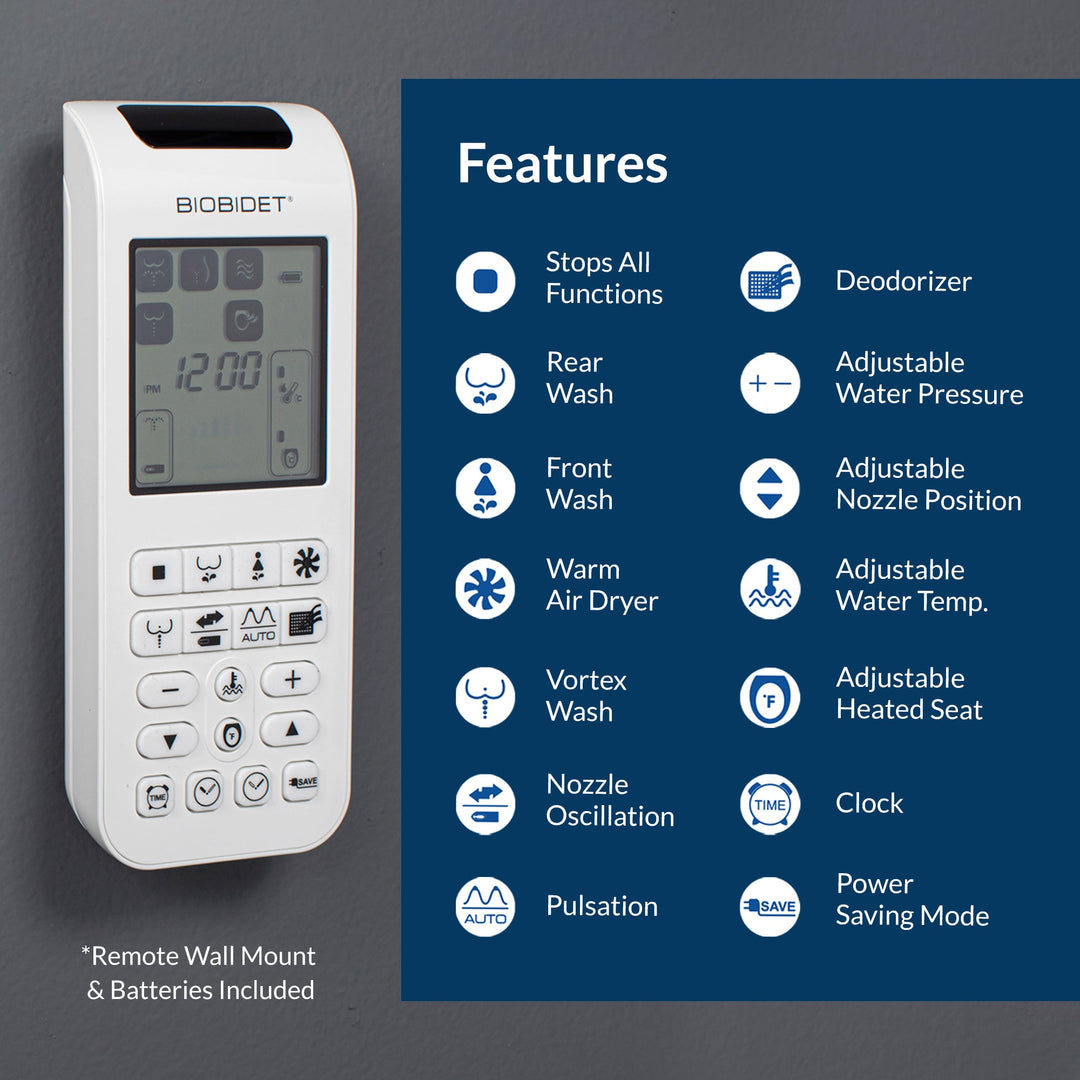
The Bio Bidet remote offers rich functionality across wash modes, temperature controls, drying, and air filtration. However, the infrared design creates signal problems that most users must address through the upside-down mounting fix or other modifications.
Master the core functions first: Rear Wash for posterior cleaning, Front Wash for feminine hygiene, and Dryer for warm air. Set your clock correctly using the pencil icons, not the method shown in the manual. Accept that the dryer typically needs two cycles for full dryness.
For reliable operation, flip your remote upside-down with a custom label. This single fix resolves the majority of user complaints about unresponsiveness. If signal problems persist despite modifications, consider upgrading to an RF-based bidet brand like Toto or Luxe for hassle-free operation.